Chess - Classic Board Game1.1.400
Publisher Description


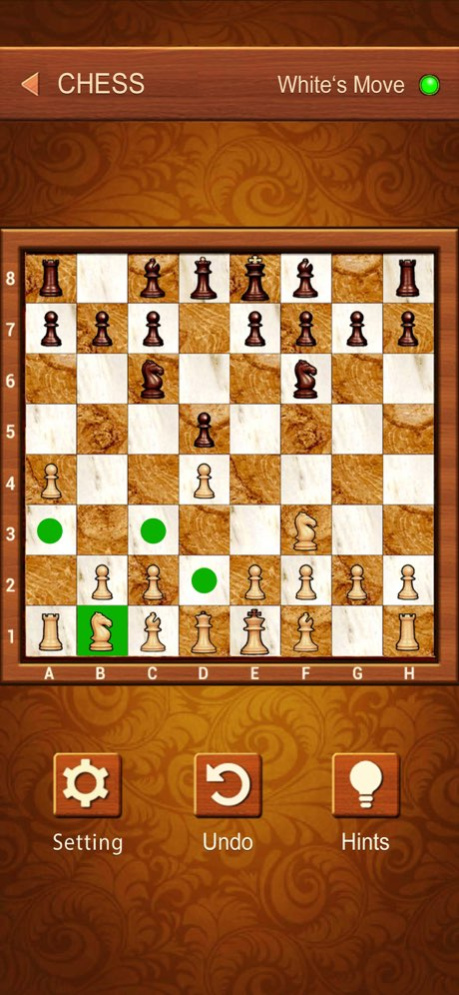

Chess is an excellent board logic game that can train your strategy and tactics.
The game is played on an 8x8 chessboard with two players. Each player starts with 16 pieces: one king, one queen, two rooks, two knights, two bishops, and eight pawns. The objective is to checkmate the opponent's king by placing it under an inescapable threat of capture.
With our game you will learn the basics and the best moves thanks to the hint option. You can also select the difficulty level suit to you. Whether you are a beginner or a chess master, you will absorb the knowledge and find the joy of playing chess.
Play against the AI or with your friends and develop your skills even without the chessboard.
FEATURES:
- You can play with your friends! (Two player mode)
- Daily Challenge and Classic Chess Puzzles!
- Awesome graphics
- Customized Board and Chess!
- Outstanding AI engine with 10 levels of difficulty
- Undo function
- Daily Challenge and Classic Chess Puzzles!
- Automatic Save Function
Version History We’ve fixed some bugs to improve your experience! 1.1.400 08/29/2024 We’ve fixed some bugs to improve your experience! 1.1.300 10/09/2021 We’ve fixed some bugs to improve your experience! 1.1.200 09/22/2021 We’ve fixed some bugs to improve your experience! 1.1.100 03/05/2021 1.0 06/10/2020
About Chess - Classic Board Game
The company that develops Chess - Classic Board Game is Aged Studio Limited. The latest version released by its developer is 1.1.400.
To install Chess - Classic Board Game on your iOS device, just click the green Continue To App button above to start the installation process. The app is listed on our website since 2026-10-08 and was downloaded 3 times. We have already checked if the download link is safe, however for your own protection we recommend that you scan the downloaded app with your antivirus. Your antivirus may detect the Chess - Classic Board Game as malware if the download link is broken.
How to install Chess - Classic Board Game on your iOS device:
- Click on the Continue To App button on our website. This will redirect you to the App Store.
- Once the Chess - Classic Board Game is shown in the iTunes listing of your iOS device, you can start its download and installation. Tap on the GET button to the right of the app to start downloading it.
- If you are not logged-in the iOS appstore app, you'll be prompted for your your Apple ID and/or password.
- After Chess - Classic Board Game is downloaded, you'll see an INSTALL button to the right. Tap on it to start the actual installation of the iOS app.
- Once installation is finished you can tap on the OPEN button to start it. Its icon will also be added to your device home screen.
Program Details
System requirements
Download information
Pricing
Version History
version 1.1.400
posted on 2026-10-08
Version History We’ve fixed some bugs to improve your experience! 1.1.400 08/29/2024 We’ve fixed some bugs to improve your experience! 1.1.300 10/09/2021 We’ve fixed some bugs to improve your experience! 1.1.200 09/22/2021 We’ve fixed some bugs to improve your experience! 1.1.100 03/05/2021 1.0 06/10/2020
version 1.1.400
posted on 2024-08-29
Aug 29, 2024
Version 1.1.400
We’ve fixed some bugs to improve your experience!
version 1.1.400
posted on 2024-08-29
We’ve fixed some bugs to improve your experience!
version 1.1.300
posted on 2021-10-09
Oct 9, 2021
Version 1.1.300
We’ve fixed some bugs to improve your experience!
